🤖 AI-Powered Payment Integration
AppPay.ai n8n Community Node
Seamlessly integrate AppPay.ai payments into your n8n workflows and AI agents
Choose Your Integration Method
Three ways to connect AppPay.ai with your n8n workflows
Community Node InstallationRecommended
One-click installation through n8n's web interface (n8n 1.9+)
- 1
Open n8n Settings
Navigate to Settings → Community Nodes
- 2
Install Community Node
Search for "n8n-nodes-apppay" and click Install
- 3
Restart n8n
Restart your n8n instance to activate the node
Benefits:
- • Automatic dependency management
- • GUI-based installation
- • Easy updates through n8n
What is the AppPay.ai Community Node?
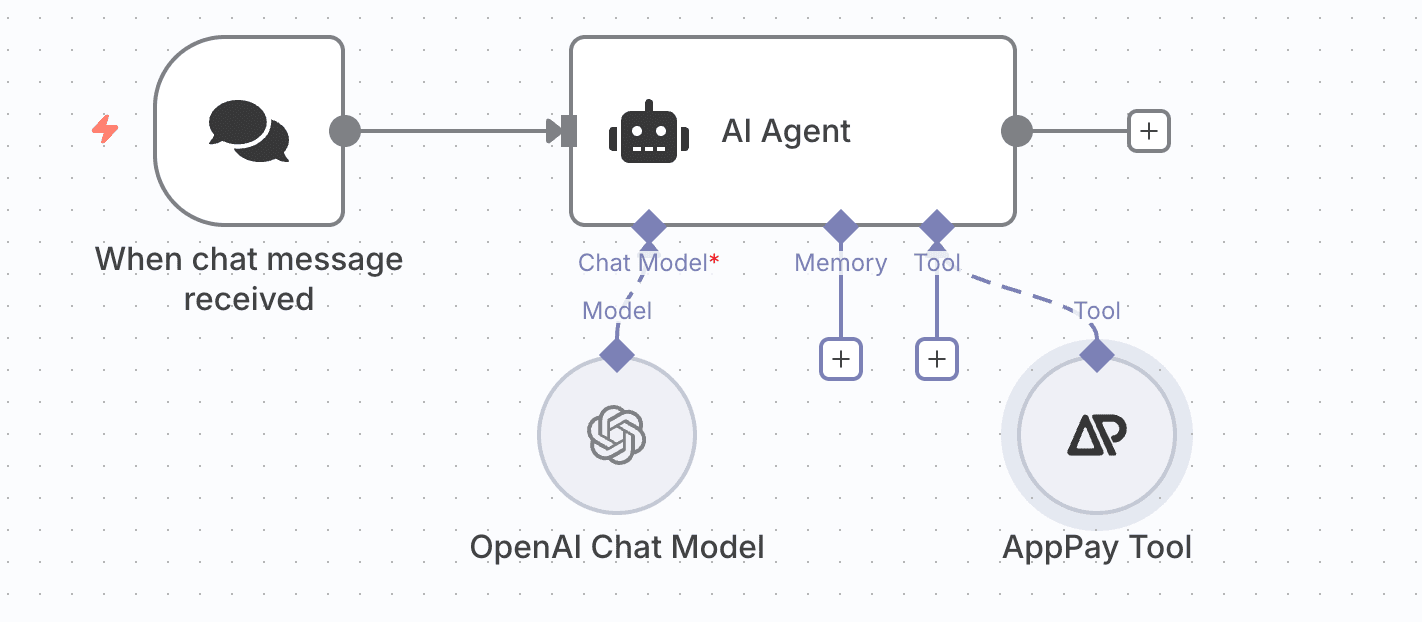
Our n8n community node brings the power of AppPay.ai to your automation workflows. Whether you're building AI agents, automated payment systems, or conversational commerce workflows, this node enables seamless payment integration with just a few clicks.
Node Components
- Actions: Create, manage, and monitor payments
- Triggers: React to payment events in real-time
- Tools: AI agent integration for conversational payments
Perfect For
- 🤖🤖 AI-powered payment assistants
- 🛒🛒 Automated e-commerce workflows
- 💬💬 Conversational commerce
- 📊📊 Payment analytics and reporting